
Work Around the 20k Characters Limit When Debugging Your Groovy Rule

This post is around Oracle EPM Cloud Planning.
I am the first person who hates debugging, simply because it can take a while getting your mess sorted!
A common well-known use case of Groovy is its ability to dynamically generate an Essbase rule and then to execute it. There is not a unique way of executing rules from Groovy, if you’re interested to know more in a future post, just let me know in the comments section.
For simple rules, let’s be honest, this post will be of no use. Nevertheless, in case you have some crazy requirement where you have no choice but generating lots of Essbase script rows, or if you have lots of information to display in the jobconsole thanks to the println method – that can easily happen if you have many loops involved – then I might have some way to find some peace. Although it won’t replace your Yoga class, it could at least contribute to put you in condition…
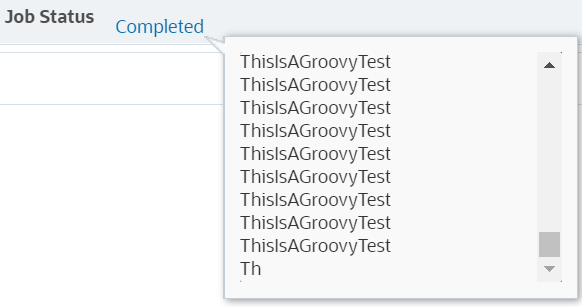
A limit of 20k characters, really?
One advantage when developing a Groovy rule is the ability to check the variables’ names and values. By the way, the code I often use to do so is
println "myVariableName=$myVariableName"
As previously mentioned, this can be enough is most cases, but if you need to print more information as you develop your rule, or if you have to debug some code, then you could face this frustrating situation where you the content of the job console is truncated:
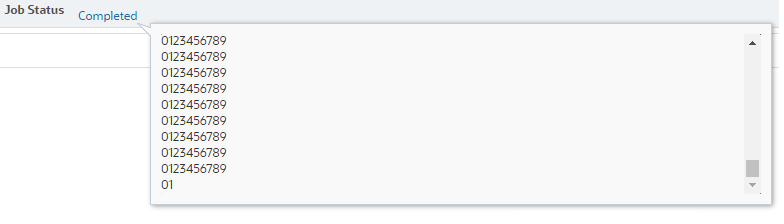
Playing around with some trivial rule allowed me to determine this limit of 20k characters in the content displayed by the job console. Here is the code:
String text = "0123456789"
Integer nbIterations = 0

for (int i = 0;i<3000; i++) {
    println text
    nbIterations += 1
}
println "nbIterations=$nbIterations"
After running this, I got the following results in the job console, and copy/pasted in my favorite text editor:
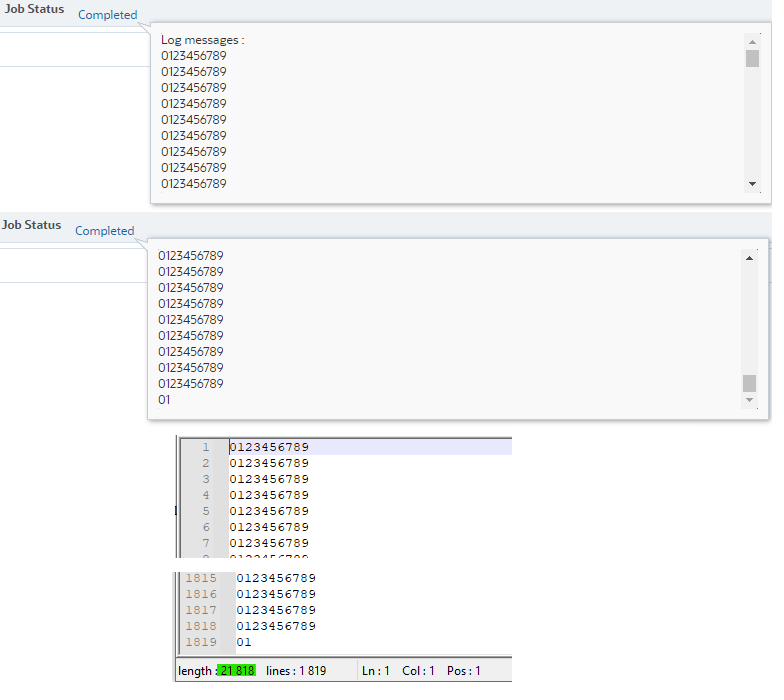
I know you will tell me my math is wrong, but the thing is, my favorite text editor is not counting the CRLF characters the same way Groovy is!
We should have actually counted:
*18 182 (1818 * 10 + 2) characters + 1818 CRLF characters (1818 1) = 20 000
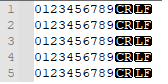
CRLF literally means “ Carriage Return Line Feed ” and can easily been displayed in any advanced text editor. I sure made your day 🙂
To be more confident in this result, I ran same piece of code with String text = “012345678”, then String text = “01234567”, …
I’ll avoid you the pain, and give you the following results:

Using the csvWriter interface
You got me right, adding 3 rows of Groovy, I am definitely going to get the job done:
String text = "0123456789"
Integer nbIterations = 0

csvWriter("OracleEPMisGreatWithGroovy.txt",'').withCloseable() { out ->
  for (int i = 0;i<3000; i++) {
    println text
    out.writeNext text
    nbIterations += 1
  }
  println "nbIterations=$nbIterations"
}
Now I can read the values I wanted to see in the first place, and I’ve broken the 20k limit:
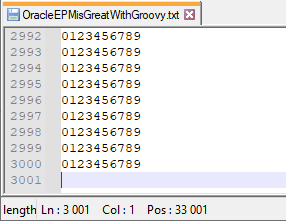
Log that has 30k characters in this example
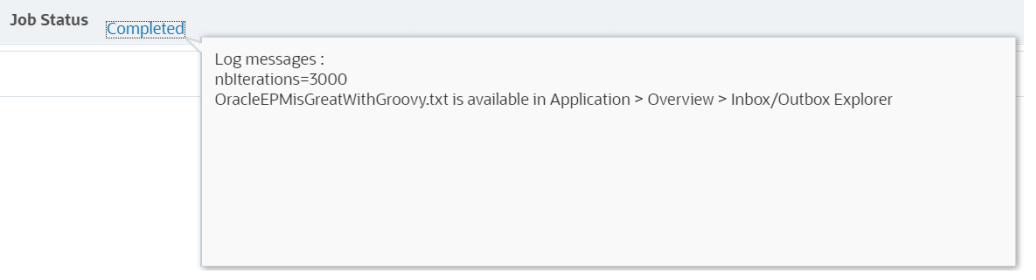
Only now you can start your debugging! And the “ println text ” row can actually be put in comment so that the log console displays only the total number of iterations:
String text = "0123456789"
Integer nbIterations = 0

csvWriter("OracleEPMisGreatWithGroovy.txt",'').withCloseable() { out ->
  for (int i = 0;i<3000; i++) {
    //println text
    out.writeNext text
    nbIterations += 1
  }
  println "nbIterations=$nbIterations"
  println "OracleEPMisGreatWithGroovy.txt is available in Application > Overview > Inbox/Outbox Explorer"
}
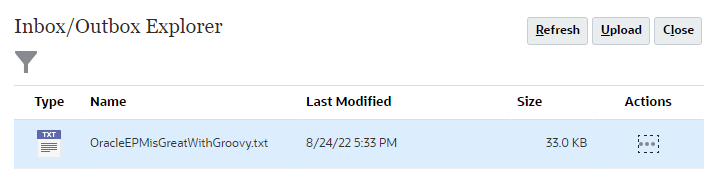
I almost forgot to point out that the log file is available in the Inbox/Outbox Explorer:
Yet another seed that may grow your EPM dreams…