
Improve the Quality of Your Application & UX by Declaring Whitelisted Data Forms in a Groovy Rule

This post is around Oracle EPM Cloud Planning.
As I was developing some Groovy rules once, I was wondering if one of them could be executed from a limited scope of forms, because what I saw as a potential benefit would be improving the quality of the delivery whilst implementing a business requirement in a Groovy rule. Typically, I faced following situation:
- Despite my will to limit the number of rules (less is more!), still there were lots of rules out there in Calculation Manager
- It happened more than once that one Groovy rule was wrongly assigned to one or more data forms. Did someone say the project lies in a VUCA world? (not familiar with this acronym? check that link to know more ). If you haven’t read this post from Harvard Business Review on Agile Project Management from May 15 2018, now is the time to get your agile mindset updated.

Prerequisites for the use case considered
Groovy rules are always developed in a extremely specific context. This context can be defined by:
- the scope of the data form from where it’s being executed. I will call it functional context.
- the structure of the data form from where it’s being executed. I will call it technical context.
Let’s consider we have four data forms:
- Data Input – Top Line
- Data Input – Fixed Costs
- Data Input – Drivers for Variable Costs
- Data Input – Variable Costs
Additionally, let’s consider that all of them do share design patterns for dimensionality in rows, columns and POV.
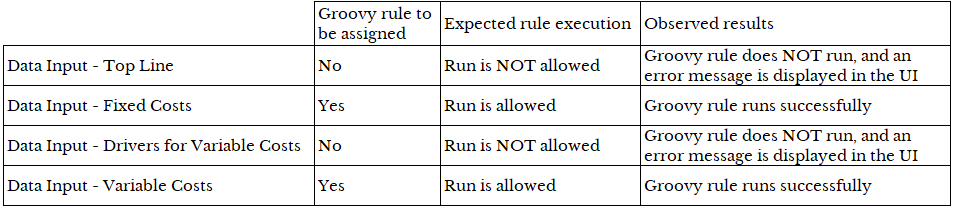
Finally, let’s assume you have one Groovy rule that handles some common behaviour expected by your end user, on the two forms for Fixed Costs & Variable Costs: be it validation rule or whatsoever.
The functional context matches the name of each data form, and the technical context is defined by the dimensional structure of the forms.

The results in a nutshell
The detailed results in job console
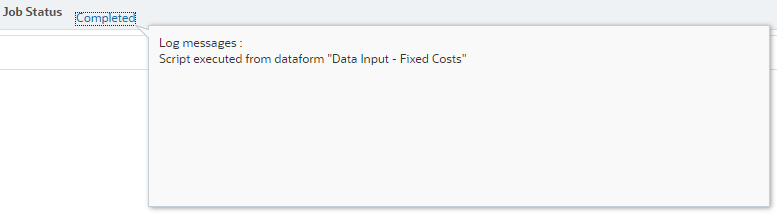
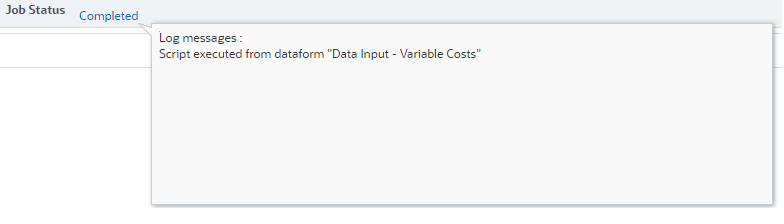
When run from the data forms specified in the Groovy rule itself, the job console shows that everything goes fine:
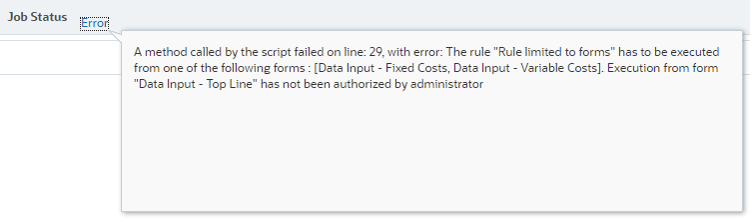
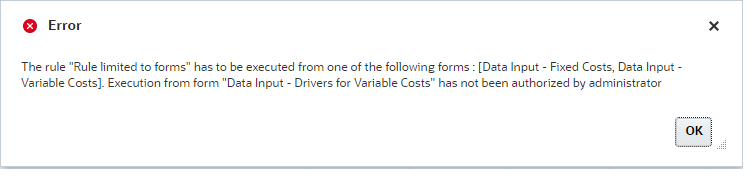
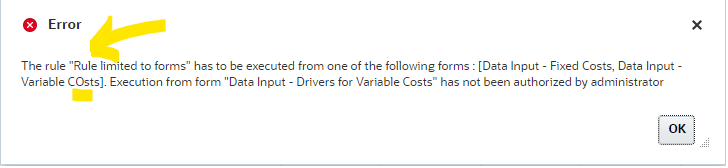
When run from the data forms NOT specified in the Groovy rule, the job console explains the reason why:
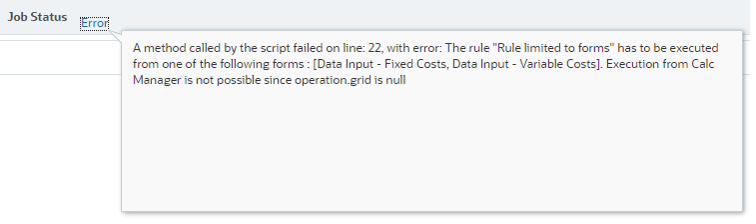
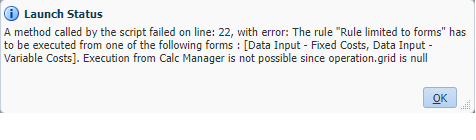
Also, it’s possible to prevent the execution from Calculation Manager itself:
Simply enhance the User Experience
I personally try to avoid designs where there is obviously an error and nothing more to help understanding (and consequently solving) the underlying problem. That said, in case the rule should NOT be run, I like displaying simple and explicit messages (“what?”, “where?” and cherry on the cake “why?” or even more by suggesting possible action to be taken) because it is obviously bringing an added value either to the consultant who is implementing or to the end user who is planning/budgeting/forecasting.
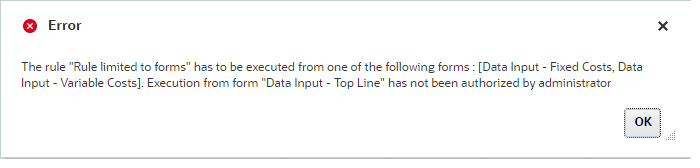
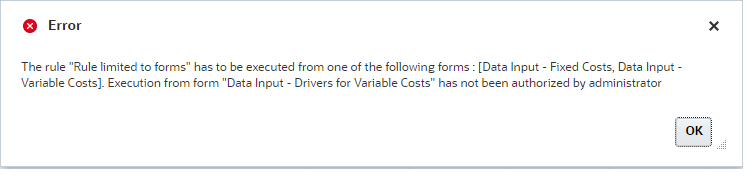
Last but not least: the names of the forms are case sensitive. It goes without saying that if requirement is to deal with non-sensitive case, this can also be implemented by making some changes to the code.
The code of the Groovy rule
DataGrid getGrid = null

def listOfFormsAllowed = ["Data Input - Fixed Costs", "Data Input - Variable Costs"]

String currentRuleName = currentRule.getName()

String msgIsFormUs = "The rule "$currentRuleName " has to be executed from one of the following forms : $listOfFormsAllowed."
def mbUs = messageBundle(["validation.isForm":msgIsFormUs])
def mbl = messageBundleLoader(["en": mbUs])

Map myMap
String currentFormName

try{
getGrid = operation.grid
myMap = operation.grid.getSourceInfo()
currentFormName = myMap["name"]
}catch(Exception){
msgIsFormUs += " Execution from Calc Manager is not possible since operation.grid is null"
mbUs = messageBundle(["validation.isForm":msgIsFormUs])
mbl = messageBundleLoader(["en": mbUs])
throwVetoException(mbl, "validation.isForm")
}

if(!listOfFormsAllowed.contains(currentFormName)) {
msgIsFormUs += " Execution from form "$currentFormName " has not been authorized by administrator"
mbUs = messageBundle(["validation.isForm":msgIsFormUs])
mbl = messageBundleLoader(["en": mbUs])
throwVetoException(mbl, "validation.isForm")
} else{
// here is the code that answers the business requirements
println("Script executed from dataform "$currentFormName "")
}
Of course, there is always room for improvement, and you may connect your inner dots to find some other use cases. Feel free to share any idea around this in the “Leave A Reply” section below. Yet another seed that may grow your EPM dreams…